This site is no longer maintained!

This site is no longer maintained!
Showing posts with label Microsoft. Show all posts

8.09.2015

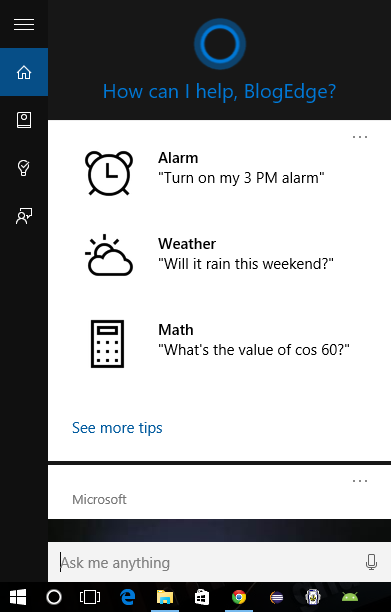
Enable Cortana for Windows 10 in non available region

Posted By: rbashish - August 09, 2015


It's been over a week since Microsoft's Windows 10 launched in 190 countries on July 29, 2015. We feel great running Windows 10 as there are many changes in the system. 

Windows   10   is   built   with   many   features   from   Enterprise   to   personal   use,   One   such new feature is "Cortana for Windows 10" but we were very disappointed to see the unavailability of Cortana in our region.


According to Microsoft: Cortana  is available in the following countries/regions: China, France, Germany, Italy, Spain, United Kingdom and United States. 


As there is a saying : 
Necessity is the Mother of Invention 
So we discovered it. The reason is very simple we really wanted to run our hands on Cortana. And we could not wait for it to become available and give a try. In this post we show you "How to Enable Cortana for Windows 10 in non-available region" Here's your guide to it.


         1.  Verify whether it is available in your reason or not?
                 Click the search the Web and Windows bar/icon > goto Cortana settings option no. 2


         2.  Now that you know Cortana isn't supported in the region you have selected, goto control panel and click on the region tab as shown in the video.

         3. Change the Home location to the location where cortana is available right now. You can select from one of these countries/regions. But we would recommend you to select the region as United States:
  • China
  • France
  • Germany
  • Italy
  • Spain
  • United Kingdom
  • United States (Recommended) 


That's it, You are good to go now. Enjoy Cortana.

We would love to hear you. Do let us know if you are having trouble Enabling Cortana by commenting below and we would be happy to help.


7.29.2015

Download Windows 10 right away without waiting for upgrade confirmation

Posted By: rbashish - July 29, 2015
Get Windows 10 now.


After a span of around 9 months of engineering process, Microsoft has finally released Windows 10 today in 190 countries as a free upgrade. Unfortunately not all user can get windows 10 right away. WHY?

According to Microsoft: It will release the updates phase by phase so that the updates process runs smoothly. But first it will roll out updates for 5 millions users who took part in Windows Insider Program. If you are one among them you will be able to update right away as below.


But what for those who did not participated in Windows Insider Program and they are eagerly waiting to run their hands on Windows 10? To this there is a good news for them as Microsoft is providing Digital Download via Media Creation tool facility to upgrade system manually.


Through this Digital Download, you can:
  • upgrade right away
  • create installation media via USB flash drive or DVD


Microsoft suggests a few steps before you begin to download:

  • Make sure you have:
    • An internet connection (internet service provider fees may apply).
    • Sufficient data storage available on a computer, USB or external drive for the download.
    • A blank USB or DVD (and DVD burner) with at least 4 GB of space if you want to create media. We recommend using a blank USB or blank DVD, because any content on it will be deleted.
  • Read the System Requirements.
  • If you will be installing the operating system for the first time, you will need your Windows product key (xxxxx-xxxxx-xxxxx-xxxxx-xxxxx).
  • Link to Download from official site


Hopes this helps & Happy upgrade...


10.04.2014

Windows 10 Tecnical Preview

Posted By: rbashish - October 04, 2014

Windows 10 Technical Preview:

 what you should know ?

Profile Admin

Copyright © 2014 - 2016 | All rights reserved by BlogEdge

Creative Commons License
Google Analytics Alternative